

16 min read · Updated: 2026-11-28
To secure payment online, shop through the store’s official website, check that the checkout uses an encrypted connection, and review the order total before entering payment details. Choose a payment method with clear dispute procedures, use a unique password, and never share verification codes. If anything feels inconsistent or unexpectedly urgent, pause and confirm the details before paying.
A secure checkout reduces the chance that payment information will be intercepted or misused, but it cannot guarantee a store will fulfil an order. You can lower risk by checking the website address, understanding the payment options and keeping a record of your confirmation.
This guide explains what payment security means, what to inspect before paying, how common methods differ and which warning signs should make you stop. These checks are useful when shopping for products online, including with retailers that ship internationally.
- Use the retailer’s official website and check the address before entering payment details.
- Review the order, fees and delivery information before confirming payment.
- Choose a method with a dispute process you understand, and save the receipt.
- Pause if a seller asks for unusual information, rushes you or redirects payment unexpectedly.
What Secure Online Payment Means
Protection During Payment
Secure online payment means your details are handled through a checkout designed to protect information as it travels between your device and the retailer. Encryption helps prevent outsiders from reading data in transit, while payment providers may add checks to confirm that the person paying is authorized. Neither measure proves that a product or seller is trustworthy.
Look for the correct store address and a secure connection before entering card details. A padlock symbol indicates an encrypted connection, but it does not certify the shop itself or guarantee good service. Check the retailer’s contact information, returns terms and order details separately, especially if you arrived through an unfamiliar advertisement or message.
A merchant considering publicity on a budget may explore cheap press release distribution separately; it does not provide checkout protection or verify payment security. For shoppers, the useful distinction is between protecting data during a transaction and deciding whether a retailer is reliable. Both matter, but they require different checks before you complete an order.
What Security Cannot Guarantee
A protected payment channel cannot guarantee that an order will arrive, match its description or qualify for a refund. Those outcomes depend on the seller’s policies, the payment method’s dispute process and the facts of the purchase. Read the product listing and delivery terms before paying so you know what the retailer has promised.
Keep the order confirmation, item description and any messages about delivery or returns. These records can help you explain a problem to the seller or payment provider if an item is missing or materially different. Avoid relying on a screen capture alone when the store also provides a downloadable receipt or written confirmation.
Security also depends on your own account and device habits. A strong, unique password reduces the risk that a reused password from another service will expose your shopping account. Keep your browser and device software updated, and avoid saving payment details on shared devices where another person could access your account.
- Read the product and delivery terms.
- Save the order confirmation and receipt.
- Use a unique password for each account.
How to Check a Checkout Before Paying
Inspect the Store and Address
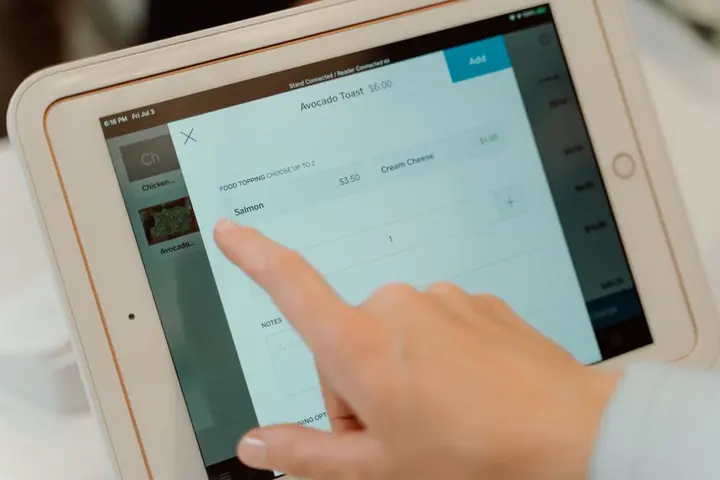
Before entering payment details, confirm that the browser address matches the retailer you intended to visit and that the checkout remains on the genuine site or a clearly identified payment provider. Watch for misspellings, unexpected extra words or a domain that differs from the one shown in the store’s official materials. A padlock alone is not enough.
A UK seller seeking outreach help can consider guest posting services uk as a separate business matter; that service does not assess a shop’s payment page. For your purchase, check whether the order summary, merchant name and delivery destination match what you selected. If the page changes unexpectedly, return to the store through its known address.
Review the retailer’s contact details, shipping information and returns policy before paying, not only after a problem arises. Look for clear information about who is selling the item and how to contact them. If details are missing, contradictory or difficult to understand, pause and ask the retailer for clarification rather than guessing.
Review the Final Order
Check the final order screen for the correct product, quantity, delivery address and total before confirming payment. Make sure any shipping charges, taxes or other stated fees are included in the amount shown. If the total changes from the basket without a clear explanation, stop and review the order rather than approving it quickly.
Confirm that the payment method displayed is the one you chose and that the billing details are accurate. Read any optional boxes carefully, particularly those that add services, subscriptions or recurring charges. A final review can catch an accidental selection before money is taken and gives you a clear record of what you agreed to buy.
After paying, wait for an on-screen confirmation and check for an order email from the retailer. Save the order number and receipt, then compare the amount charged with the amount shown at checkout. If no confirmation arrives, do not submit the payment repeatedly; first check your account or contact the store to avoid duplicate orders.
- Verify the product and quantity.
- Check delivery and billing details.
- Review the complete total.
- Save the confirmation after payment.
Compare Payment Methods and Buyer Protections
Choose a Suitable Method
Choose a payment method by weighing convenience against the dispute options it provides, and check the terms before relying on any protection. Cards and digital wallets can offer ways to report an unauthorized charge, but the process and eligibility depend on the provider. A bank transfer may be harder to reverse, so use it only when you understand the risks.
- Check which payment methods the retailer accepts.
- Review the provider’s dispute terms.
- Avoid methods you cannot verify or understand.
- Save the receipt and transaction record.
A business researching marketing providers may find seo agency directory useful for promotion decisions, but a directory does not verify a store’s checkout. For shoppers, the relevant comparison is whether the payment option offers a clear route to report a problem and whether the retailer accepts it through its normal checkout. Never pay through an unfamiliar link sent separately.
A digital wallet can reduce the need to enter card details directly on each store, while a card may provide a familiar account statement and dispute process. Neither option removes the need to check the merchant and order. Read the provider’s current terms, because protections, time limits and eligible transactions can vary.
| Method | What to check | Practical consideration |
|---|---|---|
| Card | Issuer dispute terms | Review charges on your statement |
| Digital wallet | Provider protection terms | Can limit direct card entry |
| Bank transfer | Recipient and payment details | May be difficult to reverse |
Understand Dispute Routes
Know whom to contact if a payment is unauthorized, duplicated or linked to an undelivered order. The retailer is often the first point of contact for order problems, while your card issuer or wallet provider may explain how to report a payment dispute. Use the contact details in the official app or on the provider’s website.
Do not assume that every purchase receives the same protection or that a successful dispute is automatic. Providers may ask for the order confirmation, messages with the seller and evidence of the issue. Keep your explanation factual and submit records through the provider’s official process, not through links in unsolicited messages.
If you spot a charge you do not recognize, contact the payment provider promptly and follow its instructions. If you believe your account details have been exposed, change the relevant password and review recent account activity. A quick response can help limit further unauthorized use, though the provider determines the available remedies.
- Contact the retailer about order fulfilment.
- Use your provider’s official dispute process.
- Keep relevant receipts and messages.
Stop if a seller pressures you to pay immediately, asks for payment outside its normal checkout or requests a verification code by message or phone.
Recognize Warning Signs at Checkout
Pause for Unusual Requests
Stop if a seller pressures you to pay immediately, asks for payment outside its normal checkout or requests a verification code by message or phone. A verification code is intended to confirm an action for you, not to be shared with another person. Contact the retailer through its official website if a request seems unusual.
Be cautious when the payment page redirects to an unrelated address or asks for personal information that does not appear necessary to complete the order. A legitimate checkout may request billing and delivery details, but you should understand why each field is required. Do not continue if the page asks for account passwords or unrelated security codes.
Unexpected changes to the order total, payment destination or delivery terms are reasons to pause and investigate. Return to the store’s official site and check whether the same product and terms appear there. If you cannot confirm the details, leave the checkout without paying and contact customer support using independently verified contact information.
Respond to Suspicious Activity
If you already entered payment details on a page you now distrust, contact your card issuer, bank or wallet provider using its official app or published phone number. Explain what information you entered and ask what steps to take. Do not use contact details supplied in a suspicious message or on a page you cannot verify.
Change your shopping account password if you reused it elsewhere or suspect someone accessed the account. Choose a new password that is not used for email or other services, and sign out of sessions you do not recognize if the account offers that control. Review recent orders and saved payment information for changes you did not make.
Keep a record of the suspicious page, transaction details and any communication, but do not revisit the page to investigate further. Report the issue through the payment provider’s official process and the retailer’s verified support channel. If a charge appears, follow the provider’s instructions and continue monitoring your account for unfamiliar activity.
- Contact the payment provider through an official channel.
- Change a possibly exposed or reused password.
- Review orders and account activity.
- Save records and report suspicious charges.
Protect Your Account and Payment Details
Use Strong Account Access
Give each shopping account a unique password, especially when it stores delivery details or payment tokens. A password manager can create and save distinct passwords so one exposed account does not provide a shortcut into others. If the store offers two-step verification, enable it to add a second check beyond the password.
- Use a unique password for each shopping account.
- Turn on two-step verification when the store offers it.
- Protect the email account used to reset passwords.
Keep your email account secure, too, because it may be used to reset a shopping password or receive order alerts. Use a separate, strong password there and review its recovery options. If a login alert arrives when you did not sign in, change the password through the store’s official website or app.
Key takeaways: use a unique password for each store; enable two-step verification when available; secure the email address used for account recovery.
Limit Stored Payment Data
Save a card only when the store is one you trust and the convenience is worth keeping its details on file. A saved payment method can speed up repeat orders, but it also makes account access more consequential. Remove stored cards you no longer use, and check account settings after completing a purchase.
When available, use a digital wallet or a payment method that avoids sharing your card number directly with the merchant. These options can reduce how often the full details are entered, though they do not replace careful account security. Review the payment screen to confirm which method will be charged before approving.
Never send card numbers, security codes, or account passwords through ordinary email, text messages, or chat. A legitimate support agent should not need your full password or a one-time login code. If someone requests either, stop the conversation and contact the store using details you find independently.
For Sellers: Keep Promotion Separate From Checkout
Separate Marketing From Payment
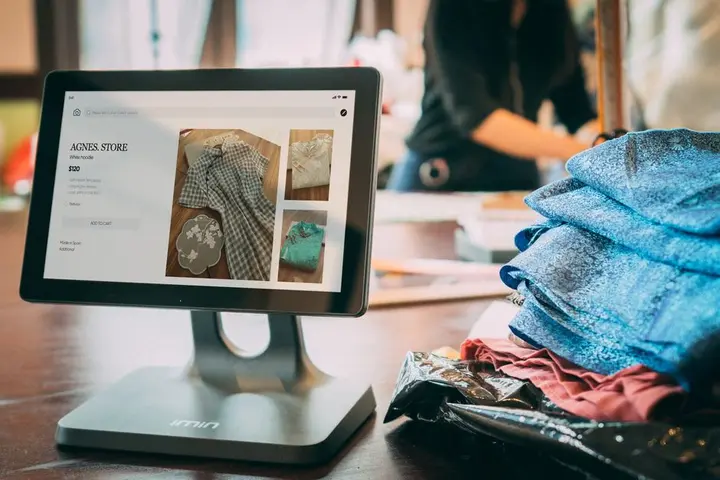
Keep promotional activity outside the payment flow so customers can tell exactly when they are checking out and what they are authorizing. A seller whose checkout is already secured may use white label press release distribution to promote a store separately from the payment process. Make sure marketing pages do not imitate payment forms or collect card details.
- ☐ Keep promotional pages separate from payment forms.
- ☐ Identify third-party payment redirects clearly.
- ☐ Give checkout access only to staff who need it.
- ☐ Review permissions when staff roles change.
Use clear, consistent store branding on product pages, order confirmations, and payment screens. Customers should be able to distinguish your shop from a third-party payment provider, while understanding when they are being redirected. Explain the purpose of each step before sending a buyer to another site or service.
Limit access to checkout settings and customer payment information to staff who need it for their work. Use separate accounts rather than sharing one login, and remove access when a role changes. This reduces accidental changes to payment settings and makes it easier to identify who acted if a problem arises.
Make Payment Steps Clear
Show the order total, delivery charges, and payment method before the customer confirms the purchase. A clear review screen helps prevent disputes caused by surprises and gives buyers a chance to correct errors. Keep the final payment action distinct from buttons that subscribe, add products, or continue browsing.
After payment, send an order confirmation that identifies the store, amount, and next steps without exposing sensitive payment details. A receipt can show a card’s last digits for recognition, but should not include the full number or security code. Tell customers how to reach support through a channel they can verify.
Test the checkout on a phone as well as a computer, since cramped screens can hide important details or make buttons easy to misread. Check that payment pages load correctly, totals remain visible, and error messages explain what to do next. Do not ask customers to submit payment again until you have checked whether the first attempt succeeded.
What to Do if a Payment Seems Unsafe
Pause Before You Pay
Stop before entering payment details if the page changes unexpectedly, requests unrelated personal information, or displays a total different from the one you reviewed. Close the page rather than following prompts that feel urgent, then reopen the store by entering its address or using its official app. A retailer seeking publishing and outreach information can consult MediaKit.uk after reviewing its checkout security.
If a payment screen appears to belong to another company, check whether the store clearly explained the redirect before you arrived there. Do not enter details on a page reached through an unsolicited email or message. Contact the retailer using a phone number or support address you locate independently, and ask whether the payment route is expected.
A missing padlock or a browser security warning is a reason to stop, not to work around the warning. Do not dismiss certificate or connection alerts just to complete an order. Use a trusted network and device, then retry through the store’s verified site only if the warning has cleared.
Respond to a Suspicious Charge
If you see a charge you do not recognize, contact your card issuer or payment provider promptly using the number on your card or its official app. Ask whether the transaction is pending or completed, and follow its instructions for disputing or blocking it. Avoid using contact details in a suspicious message about the charge.
Change the password for the affected shopping account and any other account where you reused it. If the account stores a card, remove that payment method if you can do so safely. Keep order confirmations, receipts, and relevant messages so you can explain what happened without forwarding sensitive credentials.
Check for further activity and monitor account notifications while the provider investigates. If you entered a one-time code or password on a page you now distrust, tell the provider and secure the related accounts immediately. Do not make another payment to the same seller until you have confirmed the original transaction’s status.
Build Safer Shopping Habits

Prepare Before Shopping
Start from a known store address or a saved bookmark instead of opening checkout through an unexpected message. This lowers the chance of landing on a lookalike page designed to capture payment details. A shop owner exploring promotion options may use buy sponsored posts as a separate marketing resource, not as a payment safeguard.
- Opening checkout from an unexpected message; instead, visit the store directly.
- Saving card details on a shared device; instead, enter them only when needed.
- Shopping over an untrusted connection; instead, wait for a private, trusted network.
Keep your browser, phone, and computer updated so they receive current security fixes. Avoid making purchases on shared devices that may retain account sessions or payment information. If you must use one, do not save passwords or card details, sign out when finished, and close the browser.
Use a private, trusted internet connection for purchases, particularly when entering account credentials. A public network can make it harder to judge who else may be able to observe or interfere with traffic. If you cannot wait until you have a trusted connection, consider whether the order can be placed later.
Review Each Order Carefully
Before confirming, compare the product, quantity, delivery destination, and total with what you intended to buy. A familiar store can still show an outdated address or an accidental extra item. Correct any mismatch on the review screen, then check again before authorizing the payment.
Keep the order confirmation and payment receipt until the purchase is delivered and any issue is resolved. These records help you distinguish a legitimate charge from an unfamiliar one and give support staff the details they need. Store them securely, and avoid sharing screenshots that reveal full account or payment information.
Treat payment alerts as prompts to verify activity, not as links you must follow. Open the bank or payment app directly to check whether a transaction matches your order. If the amount, merchant, or timing looks wrong, contact the provider through its official channel before approving another payment.
Frequently asked questions
Is it safe to save my card details in a shopping account?
It can be convenient, but it means anyone who gains access to that account may have an easier path to placing an order. Save a card only with a retailer you trust, use a unique password, and enable two-step verification if offered. Remove payment methods you no longer use, and check account activity and stored details after a suspected account compromise.
Should I use a debit card or credit card online?
The protections and dispute processes depend on your issuer, provider, and location, so check the terms that apply to your account. A credit card may keep a purchase separate from the money in your bank account, while debit transactions draw from that account. Whichever you choose, use a trusted checkout and contact the provider promptly about a charge you do not recognize.
What should I do if an order confirmation never arrives?
Do not immediately submit payment again, since the first transaction may have gone through even if an email failed to arrive. Check your account’s order history and your payment provider’s activity by opening their official apps or websites directly. If the order is unclear, contact the retailer through verified support details and ask it to confirm the transaction before retrying.
Does a padlock icon prove that a store is legitimate?
No. A padlock generally indicates that the connection to that page is encrypted, but it does not prove that the business is honest or that the page belongs to the store you intended to visit. Check the web address, find the site through a trusted route, and review the checkout details. Leave if the browser shows a security warning or the payment request seems unrelated.
Make the Safer Choice Before You Pay
A safer online purchase starts with account security, a checkout you reached through a trusted route, and a final review of the amount and payment method. Keep marketing and payment steps distinct, avoid sharing credentials through messages, and pause when a page or request feels wrong. If a charge appears suspicious, contact your provider through its official channel rather than following links in an alert.
For your next order, use a unique shopping password, choose a trusted connection, and inspect the full total before confirming. Save the confirmation until the delivery is complete, and do not repeat a payment until you know whether the first attempt succeeded. These simple checks make it easier to shop confidently while keeping payment details and account access under your control.


